

The people closest to the work are the least likely to look at the data. Your team leads have LinearB, but getting an answer means knowing which dashboard holds it, filtering to the right team, and reading the shape of the graph. For most leads, that never turns into a habit.
The AI assistant and the MCP server are now open to editors and viewers, with role-based access control scoping every answer to the teams that user already sees. A team lead asks a question in plain language and gets the answer back. The assistant sits in the product header, and the MCP server connects from your own client, with both available to all LinearB customers.
Asking for answers beats hunting through dashboards
A lead who wants to know why their cycle time moved has to find the right dashboard, scope it to their team, and read what they're looking at. Most leads could learn it, but for a quick question the detour isn't worth it, so the question goes unasked.
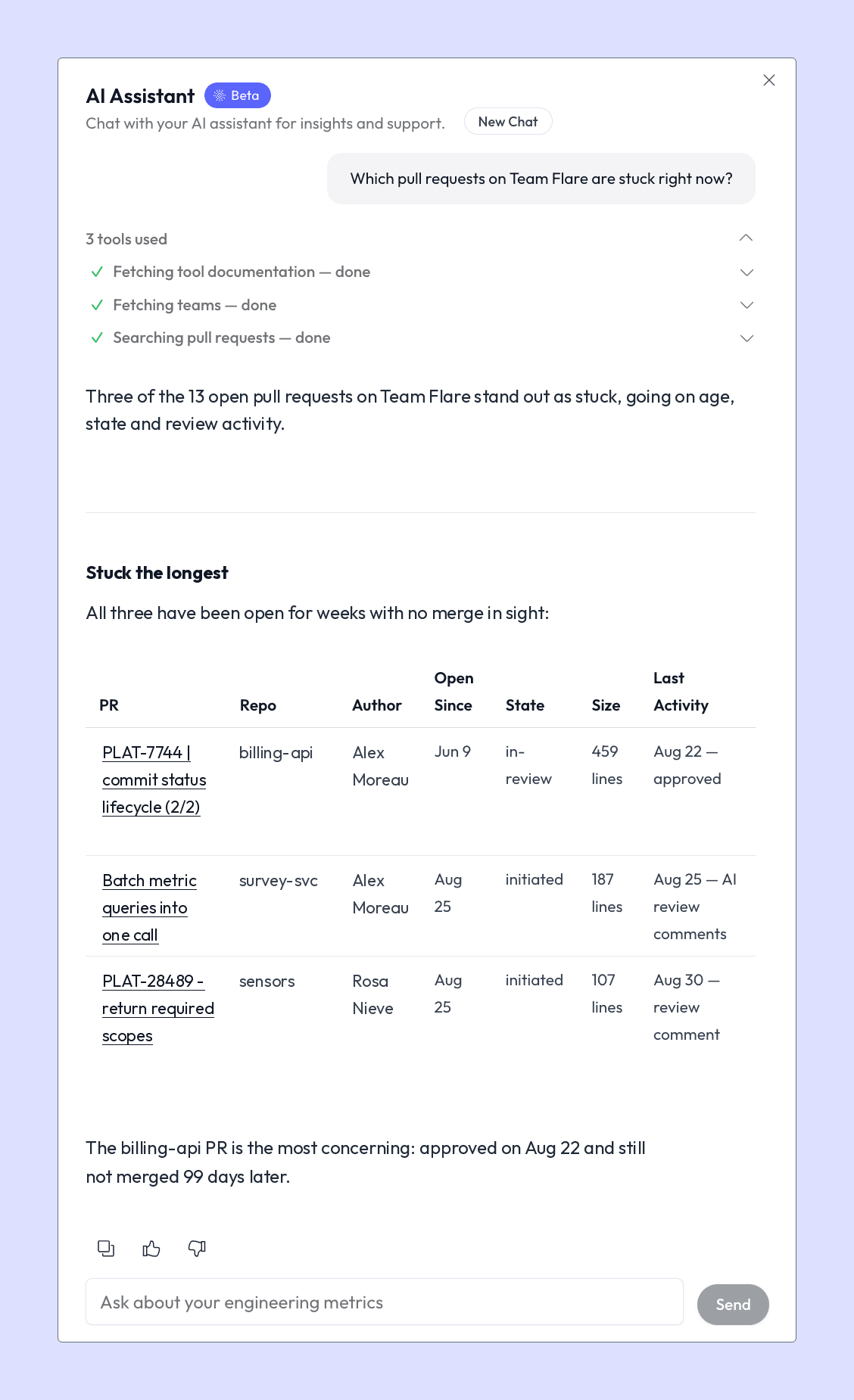
The AI assistant answers those questions in the app, in plain language, against the teams that the lead is scoped to. Delivery, quality, throughput, and DORA metrics are all in range without building a dashboard first.
Some questions to help you get started: Which pull requests on my team are stuck? What changed in our cycle time this month? Who is carrying the review load? Which reviews have been waiting longest?
Turn the answers into summaries, goals, and reports
Your leads still have to carry what they learn into a standup, a weekly update, or a goal someone tracks.
Connect the MCP server to Claude, Cursor, VS Code or whichever tool your team already works in, and LinearB becomes something you ask directly from there. Editors and viewers sign in with their own LinearB account through OAuth, and their answers stay scoped to their teams, regardless of which tool they use. The answers then turn into things the team acts on. You can post a weekly delivery summary into Slack, track a target on any metric you can query rather than only the ones in-app goals cover, and build your own reporting on LinearB as the context layer underneath it, instead of connecting your Git provider and issue tracker separately and reconciling the two.
The MCP server can answer anything LinearB can, and the public API exposes the same data for teams building their own tooling.
If you schedule a prompt such as "What shipped this week, and what's blocking us?", LinearB posts the answer to Slack every Monday morning, built from the same data the rest of the org reports on.
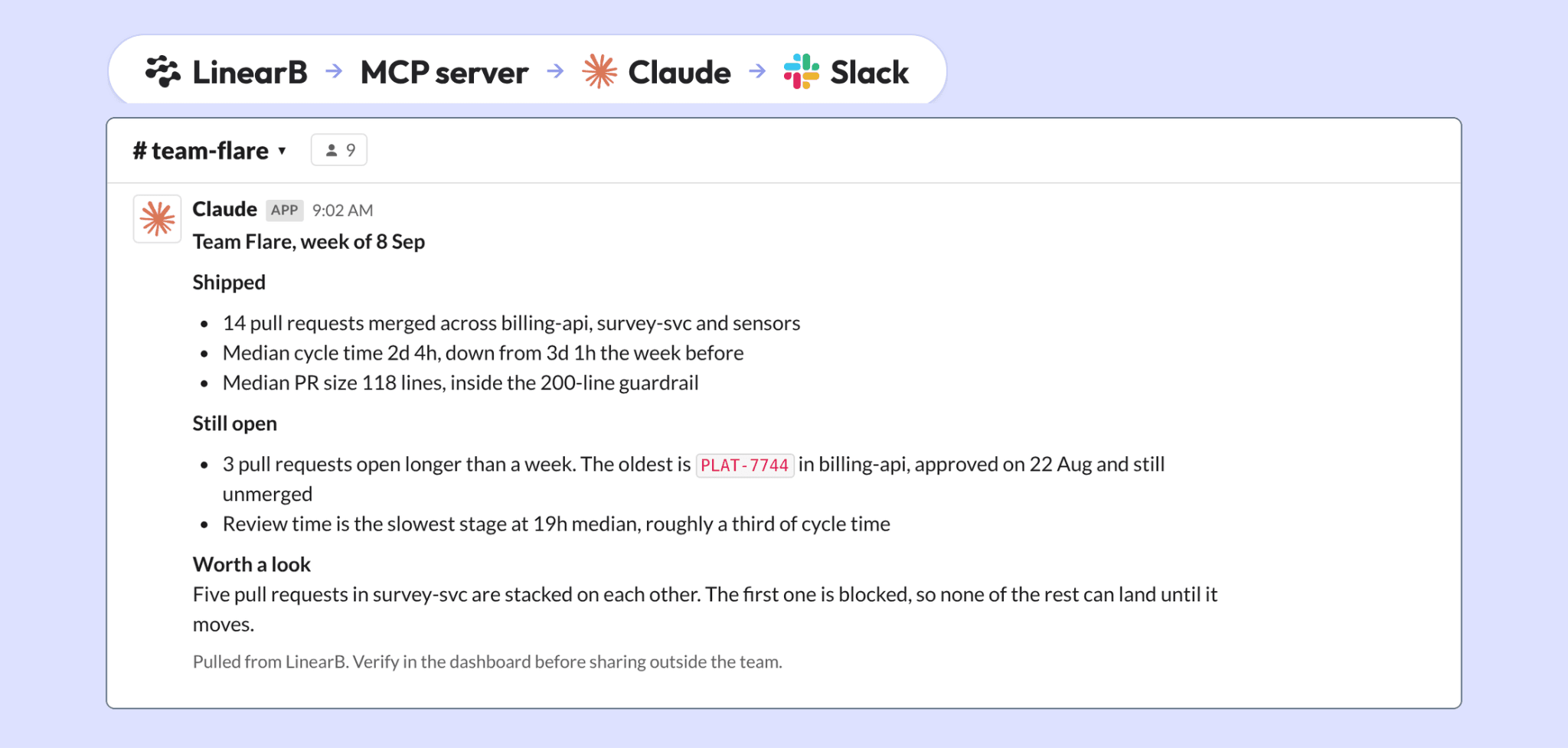
You can also ask what's blocking the team right now, how it compares to industry benchmarks, or how risky the next release looks, and get each answer in the same conversation.
Role-based access control decides who sees what
Widening who can query engineering data is the part that makes people nervous, and the nervousness is reasonable. A lead asking honest questions about their own team will sometimes get an answer they don't enjoy, such as the slowest pickup time in the org, a pull request that sat for six days, or a review load carried almost entirely by one person.
That answer goes to the lead first, inside their own scope, rather than arriving in a report their director reads before they do. A user's role applies to the teams they are scoped to, and the assistant and the MCP server both return data for those teams only. Whether individual contributor data appears at all is a company-level setting that is off by default, and LinearB enforces it at the API layer, so the assistant and the MCP server return no individual data while it's off.
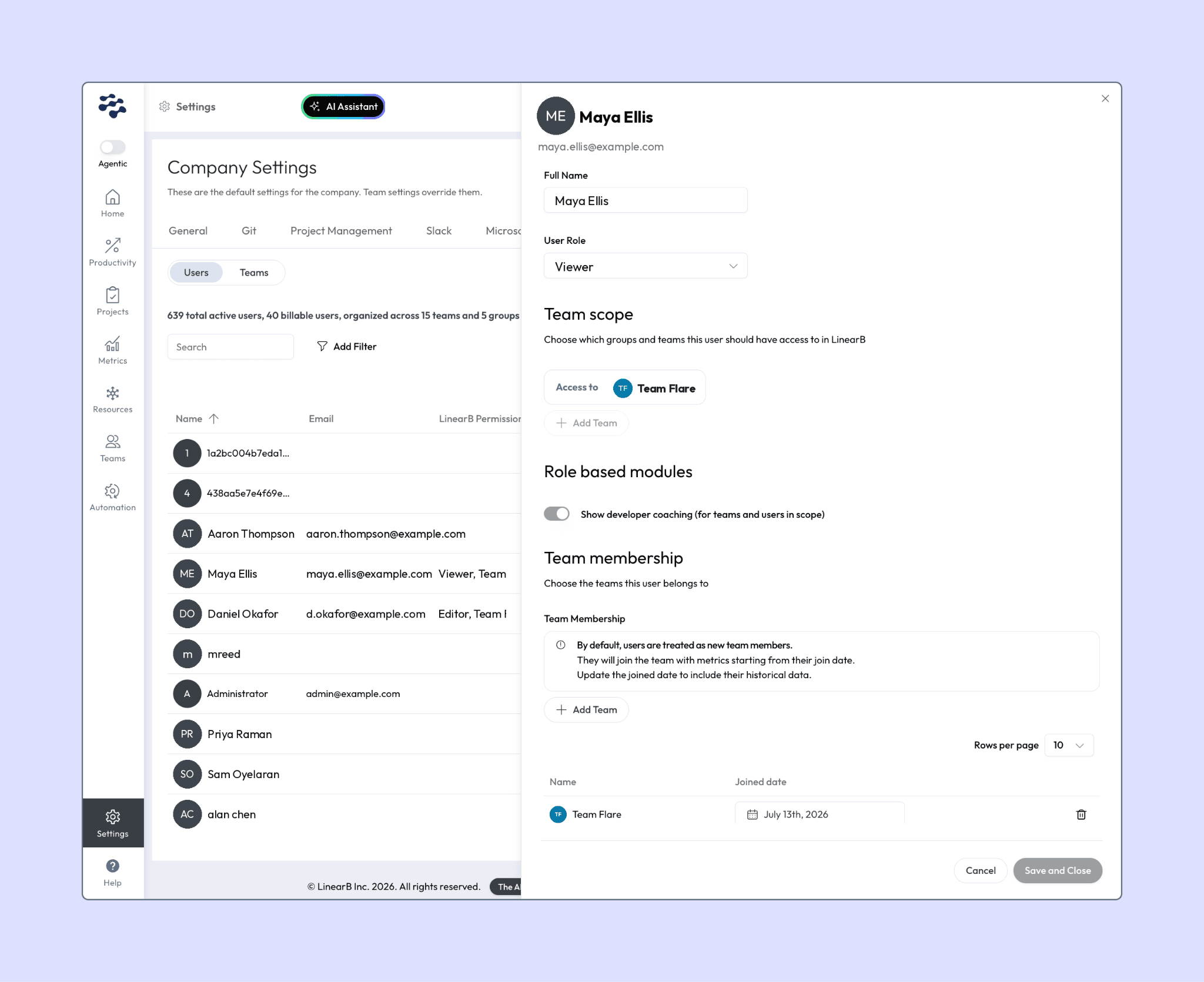
Rolling this out across a large organization is a job for the users API rather than the settings screen. That is how most teams will go from a handful of admins to their full set of leads.
Give your editors and viewers a team scope, so the next question about their team gets asked in their own words. The help docs for the AI assistant and the MCP server cover how to get started, including connecting over OAuth.
Context is only worth collecting if it reaches the people who can act on it, scoped to what they own, while the decision is still in front of them. Role-based access in LinearB gets it there, to every editor and viewer, in the app or whichever tool they already work in.


