

AI is changing how software gets built, and the industry already has a name for where it is heading: the software factory, an assembly line of specialized agents that write, test, and ship code, with people moving upstream to set direction and verify outcomes.
In that factory, the bottleneck is context. A dozen agents each acting on partial, inconsistent knowledge of your codebase, your standards, and your priorities creates a new kind of chaos, and the hard work moves upstream to specification and verification, both of which run on context. Whether the one doing the work is an engineer or an agent, the biggest driver of good output is what it knows before it starts: the task's purpose, the environment it runs in, what has been tried before, and who it is for.
LinearB now turns everything happening across software delivery into context that people and agents can use and act on.
Why this matters now
Agents start every task knowing nothing about your architecture’s history, your team’s quality bar, your past incidents, or what good looks like for your business. Teams adopting them hit this early, and without that grounding, the productivity gains everyone promised never show up in the numbers.
The people directing those agents have the context but can’t get to it. Years of data sit across Git, your issue tracker, and CI, and the question you have is rarely the one the dashboard in front of you was built to answer. Answering it means filing a request with whoever writes the queries, and the number comes back after the decision is already made. The context exists, spread across tools, dashboards nobody maintains, and the few people who know where to look.
For eight years, LinearB has assembled the signals that show how R&D organizations work, giving engineering leaders the evidence to improve outcomes. That same foundation is what agents need to do good work, and what the people directing them need to check it.
Start with a question
When cycle time climbs, engineering leaders want to know which teams it hit, which stage slowed down, and whether it started with the agent rollout. Until now, answering each of those questions has meant building a new view.
Agentic Studio opens on a question box. Type something like "where are our biggest bottlenecks" and the AI assistant answers in place, with the chart, the figures behind it, the widget and date range it used, and a reading of what the numbers imply. When average review time runs far ahead of the median, it says so, and tells you a subset of work is sitting stuck.
Every value comes from a live call to the LinearB public API, so the numbers match the rest of the product. The assistant reports what the data shows, even when it is unwelcome: that review work concentrates on two people, or that AI-assisted pull requests climbed while cycle time stayed flat.
Build the metric your business runs on
Most teams end up managing the metrics that happen to exist. The one metric that actually reflects how your business judges delivery needs someone to build it, so it gets asked for once and then dropped.
Pick a Build suggestion on the home page, or describe the metric or chart you need, and LinearB builds it, ready to put onto a dashboard and share. That way, the number you take into a board meeting is one you defined.
Your dashboards, organized the way you measure
Agentic Studio organizes the navigation around APEX, LinearB’s framework for engineering productivity in the AI era, and its four pillars: AI leverage, predictability, efficiency, and experience. The weekly question about AI adoption and the quarterly one about developer experience each have a home in the navigation.
Your personal dashboards, the ones shared with you, and the LinearB catalog sit in one searchable list in Agentic Studio, and every dashboard from AI analytics is rebuilt as a catalog dashboard you can clone and adjust.
On one side, it holds AI adoption across your teams, token and cost tracking for Copilot, Cursor, Claude Code, Amazon Q, and Kiro, and what AI-assisted work does to merge frequency and cycle time. On the other, the delivery measures your teams already run on, from cycle time and deployment frequency to mean time to restore and change failure rate, with pickup time, review time, PR size, and rework to break them down.
Together, they answer the question every engineering leader is being asked: whether AI is making your organization faster without costing you delivery confidence.
Get started
The fastest way to see what Agentic Studio changes is to bring it a question you haven’t been able to answer, like the one no dashboard was built for, or the one still waiting in someone’s query queue. If you already use LinearB, switch the Agentic toggle on at the top of the navigation and ask it. You can switch back to the classic view at any time, and LinearB remembers where you left off. If you do not use LinearB yet, book a demo and bring the question with you.
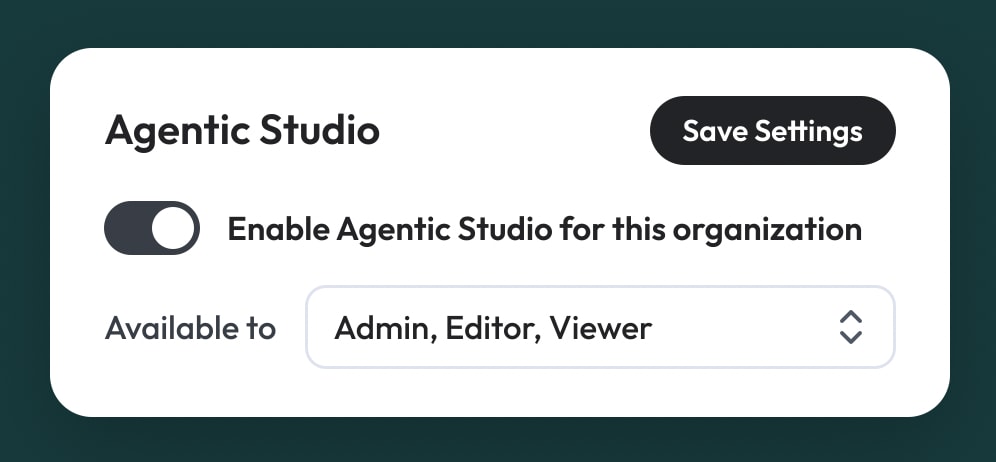
Admins decide who gets Agentic Studio. On the General tab of Company Settings, they can choose which roles it’s available to or turn it off for everyone, which brings back the full classic view, AI assistant included. Larger teams can open it to admins first and widen it from there. The documentation covers each setting.
The context behind how your organization ships is already in LinearB. Today, Agentic Studio puts it within reach of everyone who needs it. Log in to LinearB to try it for yourself.


